My fourth (and final) virtual toddler storytime this week! Next week we are on to preschool!
I had quite a bit of fun with this age range. My baby storytimes tend to focus on the 12-24 month crowd because of their size and tendency to dominate the program, so this was just a small nudge up that allowed me to use slightly longer books and activities with more motions. I’m bouncing all over the place age-wise now that we are sticking with virtual programs for a bit, moving into semi-regular preschool storytimes and a return to baby storytime in June.
These virtual storytimes have been really helpful for my storytime repertoire–I came into libraries as the only youth librarian in a large department who wasn’t presenting a regular weekly storytime. I filled in and did outreach, but there is so much more to learn week-to-week. I was suddenly tossed into baby storytime knowing nothing other than that babies have large heads and don’t respond when asked a question, but I was able to get my footing with that age range and figure out a program structure that worked well for me and that the parents (and littles) enjoyed. Being able to dig into some of the older age ranges consistently is letting me explore and discover new (to me) content in a great way.
Background: While my library is closed during the COVID pandemic, we are hosting five virtual storytimes a week, livestreamed through our Facebook page. While those livestreams are deleted soon after they are complete, we are also making YouTube clips of select elements of our storytimes that our patrons can view anytime they would like–and that I can share with all of you!
I’ve been part of my library’s virtual storytime team for the last few months (and into the summer). Last week, I had a chance to dive into school age programming again with another virtual Innovation Academy program.
This was my second foray into a virtual Innovation Academy program. I received zero feedback from the first program or from this program, so I have essentially no idea what patrons thought of either event, or if they even opened the documents I sent. So it goes with virtual programming.
Read more about the how, why, and pros and cons for this particular program series in my last post on this topic: Virtual School Age: Coding.
Some details on how this series works:
Program materials are designed and curated for ages 6-11.
Attendees register via Evanced (our regular event registration software).
On the day of the event, the program presenter emails attendees a video introduction as well as a PDF with resources, content, and activities to do at home.
Innovation Academy Content
The challenge with tech programs at home is coming up with tech ideas that only use technology the average family is likely to own–essentially, a computer and a smartphone. Coding was an easy choice, but so many of my regular in-library programs rely on physical technology (3D pens, 3D printer, Bloxels, various robots, etc.).
Augmented Reality just involves a smartphone–something that many people may already own (or at least those people who are signing up virtually for a virtual event).
I wanted to make this program a bit more focused with activities that build based on your knowledge and age–starting with defining the concept, moving on to exploring the concept, and finally creating something on your own.
This was a great plan until I spent way too many hours trying to find a tool that allows kids to create their own Augmented Reality apps or games. This feels like it should exist, and it does in a few forms, but most of those forms involve (1) apps that are outdated/don’t work with the newest Android/Apple updates, (2) software that costs money, or (3) apps that are in development by Princeton and will be SO COOL in three years.
To allow for that “create” portion of the program, I expanded the program topic to “Augmented and Virtual Reality.” While you can’t explore virtual reality without a headset, you can create some cool virtual reality tours with Google that can be made and shared without needing a headset. Is it as cool without a headset? No. Does it still get the point across? Yes.
Just like last time, I provided an instruction video for participants:
Participants can watch the video, or they can move straight to the packet, included below. It covers the concepts reviewed in the video, and also provides a written explanation of the resources and tutorial shown in the video.
Note: More books! Much of this reading is happening because I don’t have a commute anymore–I imagine my reading will have to decrease once I have to wake up earlier than 10 minutes before I want to start work.
This week’s highlights:
History Comics – This series will fill a much-needed Nathan Hale’s Hazardous Tales readalike void.
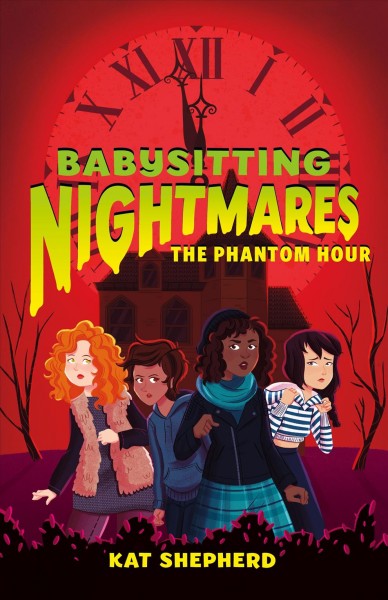
Beetle & the Hollowbones – Gorgeous illustrations mixed with a great fantasy-adventure story with a touch of LGBT romance–this is a definite winner, perfect for fans of Snapdragon.
Arlo Pips: King of the Birds – Why have I read two upcoming graphic novel releases about crows? And how are both books actually engaging, good reads?
Some Pigtails – Cute first chapter book about a young girl and her fight for the right to have crazy pigtails. I hope this becomes a series.
Note: I channeled my best Annamarie this week and read the last of all the things I had in the house. Because apparently I go
I’m gonna need to grab a brain candy for teen reads next week cause this week was way too heavy on the angst for the times we are in right now. #Ineedfluff
Some new materials for me in this storytime–this is my first time reading Spunky Little Monkey in a storytime. I also decided to use some of the materials that I didn’t have time for last week–they fit a bit better than some of the new rhymes I was planning to try this week.
Weird question for the wide world of virtual storytime presenters: if you have a team presenting virtual storytimes, do you coordinate with them? Choose the same intro/closing songs? Talk about what you each have planned for a particular week?
For example, one of my coworkers did the scarf activity I was planning to do with toddlers this week–adapted for babies–at Baby Storytime last week. Generally, at in-person storytimes, I don’t know about or care about this kind of overlap, as we mostly have different audiences for each storytime. However, these virtual storytimes feel different. Yes, I’m preparing an activity for toddlers–and that activity can really work for babies and preschoolers too–but a decent portion of our audience is the same at every storytime. Is it weird to do the same larger activity–not talking about opening/closing songs and more intentional week-to-week repetition–at two storytimes in the same week when the audience is the same? Am I overthinking this? (Answer: yes.)
Background: While my library is closed during the COVID pandemic, we are hosting five virtual storytimes a week, livestreamed through our Facebook page. While those livestreams are deleted soon after they are complete, we are also making YouTube clips of select elements of our storytimes that our patrons can view anytime they would like–and that I can share with all of you!
Like so many libraries, we are re-examining our Summer Reading Program through a virtual lens. At the end of 2019, we moved our reading program from software designed and managed in-house to the ReadSquared platform, kicking off using that service with our first Winter Reading Program in December. Personally, I can’t say I love ReadSquared, but it gets the job done.
We don’t have answers to many of the questions that I see being asked in Facebook Groups every day–how are you distributing prizes? Will any part of the program be available in person? What about people without Internet?
My library doesn’t have all of those answers, and I surely don’t, but I did get tasked with making a video to replace our annual school assemblies. A few years ago, we were able to start visiting 15+ elementary schools in our service area during May for assembly-style presentations where we got kids excited about summer reading. In Ohio, the kids didn’t go back to school after mid-March, so those assemblies obviously were not going to happen. However, we did want to send the schools something to supplement those visits.
Enter the summer reading video.
This took me a few full days worth of work to make, with the bulk of the work taking about 8 hours (filming, editing, screaming at my computer, etc.). Finished product is below:
…and the how-I-did-it follows.
Summer Reading Promo Preparation
General Idea
I knew I wanted to create a summer reading promo video that mimicked the general style of YouTubers–short quick cuts, lots of humor. That seemed like a safe, approachable direction that should appeal to elementary students, and it also meant that I wouldn’t have to (1) memorize really long chunks of text or (2) read from a script (a pet peeve of mine–it is always obvious you are reading, and it always pulls me out of whatever I am watching).
During my storytime videos I just talk freely, but I wanted to make sure I got my words exactly right in the summer reading promo video because so much of our program is up in the air, and people remember what we say. I don’t want to talk about how the kids get to choose their own prize books (a normal staple of our program) when that may not happen this year. We just don’t know.
I was a bit lost for direction on this until a coworker sent me a lovely video made by a school librarian advertising their book fair. I think her humor and silly motions gave me a much better idea of what I was aiming for (and an answer to the dreaded “how do I start?”).
Storyboarding
Back in the days when I made videos more frequently, I got into the habit of storyboarding. I knew I was going to need some sort of direction for this video, as I was planning for a lot of short clips/scenes to keep the video moving.
I didn’t draw out a full summer reading promo storyboard, but I did write out a simple word document breaking the film into clips including my general ideas for props, background, and more:
Some of this changed before the final run through–I couldn’t find free green screen software quickly, so I dropped the space bit. The Spongebob rainbow imagination hands didn’t translate when filming either. However, this gave me a place to start.
PPT Text
I transferred big chunks of the summer reading promo text to PPT slides, broken into the small bits that were going to take place in one cut. I was going to use this as a script behind the camera to read from, though, as mentioned before, I hate reading from a script, so I ended up just using this to help practice before saying whatever came out of my mouth on film.
Props & Supplies
Mostly, I didn’t need too many props…except for the bits where I attempt to be funny near the beginning middle. (Yes, that is supposed to be a tiger king joke. No, I don’t think it hits home.)
I worked with what I had on hand. For example, the book fair video started with that school librarian playing a trumpet and using a toy megaphone. I have neither. I made a paper megaphone and leaned into the awkward by writing MEGAPHONE on the side.
After the experience I had filming my summer reading promo video, I would suggest less props. I think I started to lose my mind when I started swapping out all of the props on the storage unit behind me for each of the “funny” bits (tiger king, Harry Potter, Frozen). This took much more time than it was worth (maybe 10 seconds of camera time for 20-30 minutes of setup and destroying my house).
Filming
Background
I don’t really have a house that is setup for filming anything. The easiest room for me to film in is a spare bedroom, which was essentially a storage space before this. To avoid the mugshot effect (filming against a bare wall), I hiked upstairs the best piece of furniture I could stage–a 3×3 cube unit (that had once been holding craft supplies…that are now all over my house). For storytimes, keeping this unit on the floor works well–it isn’t very tall, but I was trying to focus on the rhymes and my stuffed bear “baby.”
For this video, I wanted my background to be more engaging. So, suddenly, the cube unit is precariously on top of a trunk, and I am rearranging the items on the unit to appeal a bit more to the 6-11 year old crowd instead of the 2-3 year old audience I normally have.
I also had to figure out placement. For storytimes, I am typically a bit further away from the camera–for baby storytime, I want my lap to be in the shot to show when I am touching my baby’s feet or bouncing; for toddler storytime I need to have enough space around me to hold up a flannel board or book. None of that mattered here–it was all about me being engaging, and, following the pattern of YouTubers everywhere, that meant making myself more of a central part of the frame. Figuring out how to position myself with roughly my shoulders and head filling the frame with a background that was engaging but not overpowering took more time than I would like to admit.
Tripod:Amazon Basics 60″ Lightweight Tripod (found in my college leftovers in the basement after 4 weeks of balancing my phone on a suitcase on top of a trunk)
Lighting: natural light (window, blinds fully raised) and desk lamp
For my particular device, I think the audio in the smartphone is sufficient (no need for an external mike). I have a few issues with lighting on particularly gloomy days, but 90% of the time, natural lighting is the best option when filming. Just make sure your window isn’t directly behind you.
Being on Camera
I read about the struggles of being on camera for many librarians, and, unfortunately for any readers out there, I don’t have too much to add to that conversation. I think I’m actually a little more comfortable in front of the camera at this point than I often am in front of patrons.
My tips for getting comfortable:
Don’t watch yourself while filming. If you tend to overthink everything you do, turn your phone around and film with that much higher-quality camera on the back of your device. I started doing this for live storytimes because, on an Android device, you can’t flip a livestream so that the words in a book are facing the right way for the audience on your front-facing camera. And it is freeing. I stare at that little circle on my phone and release any tension–I can’t see comments, I can’t see my weird hand gestures, I can’t see anything–and it is all out of my control now. Embrace the chaos. It let me stop overthinking every motion.
Picture that one storytime kid. You know the one. The one that comes to all of your storytimes, and hopefully appears at some virtual ones too. I know that Miss Julia is always watching–and she is who I am presenting too. If no one else comes, I know Julia had a blast–and that is all I need.
Get silly. I am always, always, so self-aware in storytimes. I can move past some of it, especially with a bigger crowd, but when I have just a few adults and kids staring at me, it makes me very aware of my every motion and every time a story, song, or joke doesn’t connect. I am always looking for reactions–and here, I have to give that up because there are no reactions (at least that I can see while presenting). It is just me. So, mentally, I tell myself that every single thing hit home. There is nothing to tell me otherwise–so gosh darn it I am going to believe that the viewers LOVED every second of it. This lets me get sillier than usual. There isn’t a mom in the corner silently judging me (more likely spacing out completely out of exhaustion, but our brains tell us we are the center of the universe so…). It is just me dancing like no one is watching.
Editing
Oh, editing.
Your success and frustration with editing is largely going to depend on your computer. Do you have a high-powered computer? Preferably a Mac? The fastest, best internet humanly possible? You should be set.
Oh, you are like the rest of us mortals, and you don’t have all those things?
Join the club.
I have a decent-ish (Windows) computer now, but it was still a struggle at many points in the editing process. I don’t suggest you buy a new computer for this, so use what you have.
I usedOpenShot video editior. This is free software that gets the job done. It is not very intuitive–not nearly as intuitive as, say, iMovie (available for free on a Mac)–but it has the bells and whistles if you know where to find them. I had to do a lot of Google searches to figure out how to do most tasks, but there are many really accessible tutorials out there. Just be ready for the time commitment and learning curve, especially the first time you use it.
Music
I didn’t worry too much about music being copyrighted, except for whether YouTube would demonetize a video vs. block it entirely. Most popular songs lead to demonetization, which as a public library not making any ad revenue anyway, this really isn’t a big deal. (Some songs do lead to a Youtube video being blocked in most countries, which is depressing after all of the effort you put in to make it.)
I was able to download both songs I used for free from Freegal using my library card. I also regularly pull Royalty Free Music from bensound.com for introductions and such.
So many of us are filming our own videos now…what are you doing? What questions do you have? Virtual programming isn’t going anywhere anytime soon–how are you making it work for you?
Note: And my reading picked up again. It may keep increase for a bit as many of my favorite TV shows are wrapping up. I think I got a bit caught up in eARCs, and I’m not sure that trend is over yet. I want to try to focus more on books that I’m more personally engaged in than the “all the books” mentality I’ve been in lately.
This week’s highlights:
Party Problems (Emma Every Day) – Everyday-adventures reader series starring a young deaf girl. Her and her friends use sign language throughout.
Act – This is a great graphic novel series, and you see more of the main character’s character development here. Hoping the end of the real book is less abrupt than where the eARC ends.
Fox & Rabbit – This is a great beginning reader graphic novel series that will appeal to fans of Elephant & Piggie or Narwhal.
Piper by Jay Asher and Jessica Freeburg illustrated by Jeff Stokley
Note: I am feeling the people isolation very very hard this week. Most of my reading focused on graphic novels this week, because it was the only stuff really keeping me engaged.
My second virtual toddler storytime this week (and my first in my new set for the month of May!).
I’m mixing up my routine a little bit with this age range, including adding some new types of materials. I think attention-span-wise I am pushing preschool with some of this material, but from what I can tell in the Facebook Live comments, most of our audience is preschool age, so I think that’s okay. Next week leans more toddler.
I’m also working on getting to that 30 minute mark–I have a clock now that I can see while presenting, which really helps. I’ve also figured out my setup so that I can see myself–I can’t read comments, but I can tell if I disappear off screen, which is a little more likely since I am mixing up my activities.
For sake of time, I dropped the intro bits from my videos…it saves me a few minutes a video, and I’m looking for ways to make this take less time, since our audience does seem to watch them. I did realize that now I don’t introduce myself, so I’ll adjust for that next week.
Background: While my library is closed during the COVID pandemic, we are hosting five virtual storytimes a week, livestreamed through our Facebook page. While those livestreams are deleted soon after they are complete, we are also making YouTube clips of select elements of our storytimes that our patrons can view anytime they would like–and that I can share with all of you!
This has been a crazy past week of storytimes, but I kicked off May family storytime Saturdays with Baby Shark Storytime!
I ran this program in person back in January to a whopping 185 people! While that was just a few months ago, it feels closer to three years, and it was also something easy enough for me to replicate virtually that has a strong following.
We had a 30 minute storytime followed by about 10 minutes of Baby Shark bubbles and dancing. Videos of most content can be found below–as usual, there are a few more videos than I actually had time for during the storytime.
I also made a PDF for families filled with Baby Shark activities to do at home.
We had about 63 live viewers, with 100 one-minute views by the end of the live recording. Not a bad turnout for one of our slowest virtual storytime days of the week.
Background: While my library is closed during the COVID pandemic, we are hosting five virtual storytimes a week, livestreamed through our Facebook page. While those livestreams are deleted soon after they are complete, we are also making YouTube clips of select elements of our storytimes that our patrons can view anytime they would like–and that I can share with all of you!
Note: As I expected, my reading slowed down this week. Even having back my normal two hours commuting a day, I can’t keep up that reading pace. I had a couple great ones this week–Once Upon an Eid and June’s Wild Flight. I also really enjoyed Science Comics: Crows–this series is really touch and go on readability of particular titles, but I flew right through this one.
Note: I had my first Virtual Quaran-teen Advisory Board this week and might actually pull my act together and make a blog post about the awesome awkwardness that is teenagers on GoToMeeting!
Week 6 of virtual baby storytime! (And my last baby set for a while as a I pass the baby baton off to my coworker Sarah and her actual baby.)
There is some more repetition here from previous weeks than usual, which isn’t too surprising for me. I generally have a set of my best storytime material (developmentally appropriate, early literacy connections, parent and child response, I enjoy) that I tend to rotate through over about 4-6 weeks. I sprinkle in new material regularly too, but the repetition is good for everyone.
I’m getting ready to shift to Toddlers on Monday, which is a bit of an adjustment for me, though not quite as much as I expected. A lot of activities that I’ve stopped using in Baby Storytime because they involved too many full body motions (jumping, spinning) work great for toddlers. I’m also breaking out of my box a little bit because, while I’m keeping a sense of routine like I do with babies, I’m not trying to also bring the comfort and familiarity of the routine of our regular in-library programs. I don’t regularly present toddler storytimes (and neither did my coworker doing virtual toddler storytimes before me)–so I get to make up my own rules.